
| Relevant to: | Guests | Speakers | Event Managers & Assistants | Account Owners |
| ❌ | ❌ | ❌ | ✅ |
You can change your Remo plan at any time by following these steps:
1. Go to your Remo account's Plan & Billing page
Please note, only Account Owners will be able to access this page.
2. Click 'Change plan'
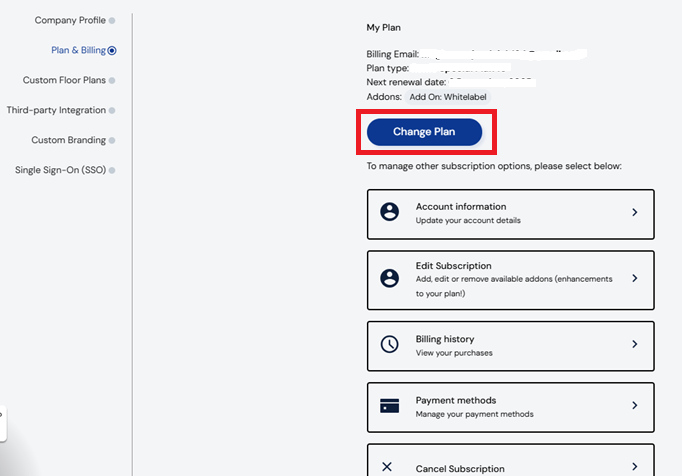
3. Select your current subscription and click "Change Plan"
If you are unable to see any options under "change plan" please reach out to our success team at success@virtual.events.com to assist you further regarding plan changes.
All subscription upgrades and downgrades will take place on your next billing date. If you would like an immediate change to your subscription, please contact us at success@virtual.events.com
If you are looking to cancel your plan, please check out this article for a step-by-step guide